Project Deliverables & Methodology
The systematic approach that earned me repeat requests by name — clear communication, full visibility, and comprehensive documentation from onboarding to renewal.
"Bravo, this is excellent work!"
— Stan Golubchik, CEO & Co-Founder, ContraForce
After reviewing my custom-built Microsoft Security implementation offering
What Clients Can Expect
24-48hr Response
All client inquiries addressed within one business day
Weekly Status Updates
Consistent communication cadence throughout engagement
Executive Summaries
C-level ready reports alongside technical documentation
Full Transparency
Real-time project visibility via SmartSheet dashboards
The Customer Journey
Kickoff
Week 1
- Stakeholder alignment
- Scope confirmation
- Access provisioning
Assessment
Week 2-3
- Environment discovery
- Security posture review
- Gap analysis
Implementation
Week 4-8
- Configuration deployment
- Policy enablement
- Integration setup
Validation
Week 9
- Testing & verification
- Documentation handoff
- Training delivery
Ongoing Support
Continuous
- Health checks
- Optimization reviews
- Renewal planning
Traditional Approach vs. VAAS
Standard Deliverables Checklist
Every client receives a comprehensive set of artifacts
Project Tracking & Visibility
SmartSheet-based implementation tracking giving clients full visibility into their security journey
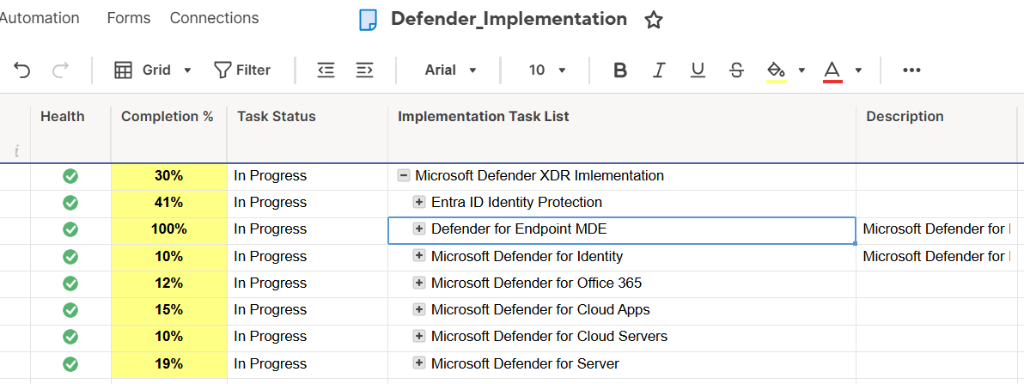
Real-time project status with health indicators, completion percentages, and task breakdown across all Defender services
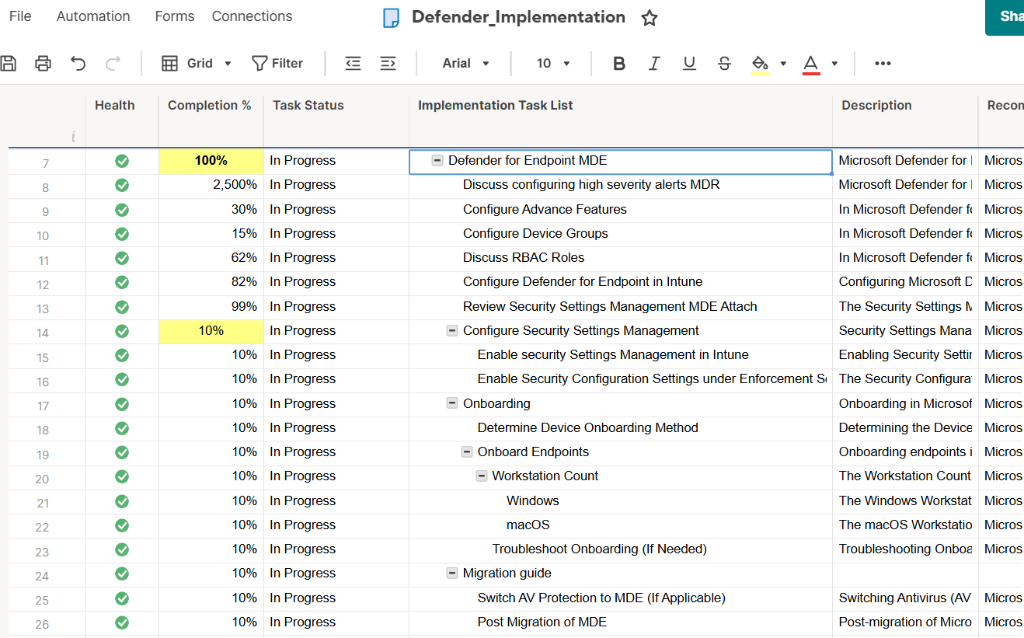
Granular task-level tracking including onboarding, configuration, migration guides, and security settings management
Implementation Playbooks
11 battle-tested playbooks covering the complete Microsoft Defender security stack
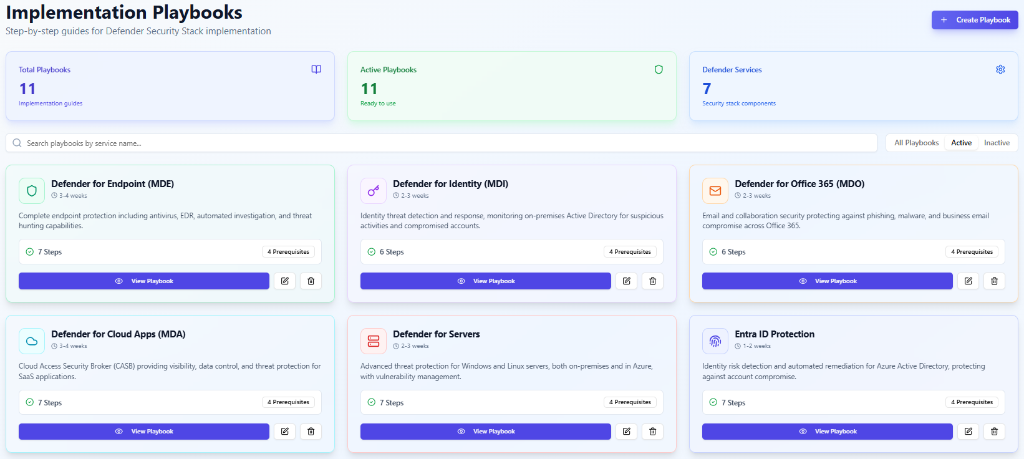
11 implementation guides across 7 Defender services — MDE, MDI, MDO, Cloud Apps, Servers, and Entra ID Protection with step-by-step procedures
Client Deliverables
Comprehensive deliverables packages ensuring clients know exactly what they receive
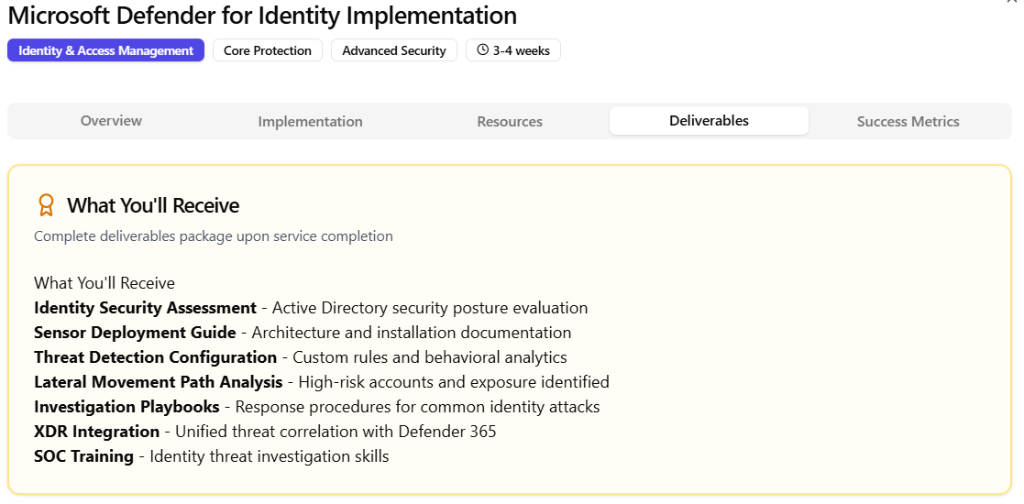
Identity Security Assessment, Sensor Deployment Guide, Threat Detection Configuration, Lateral Movement Analysis, Investigation Playbooks, SOC Training
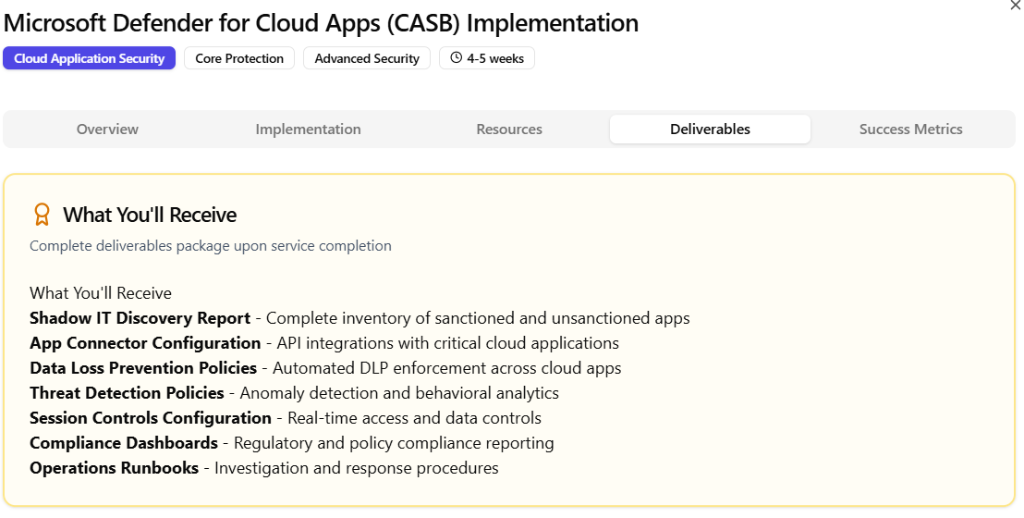
Shadow IT Discovery, App Connector Config, DLP Policies, Threat Detection, Session Controls, Compliance Dashboards, Operations Runbooks
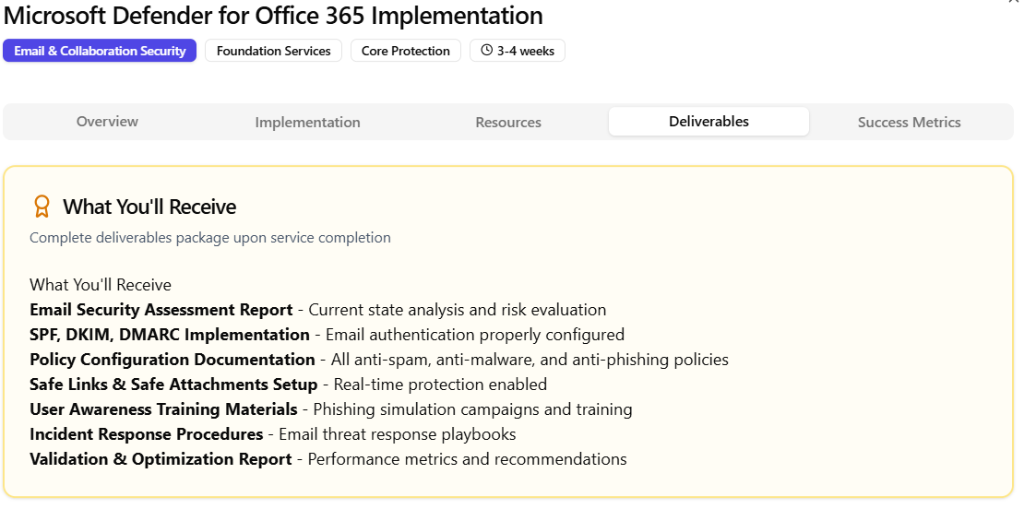
Email Security Assessment, SPF/DKIM/DMARC, Policy Configuration, Safe Links & Attachments, User Awareness Training, Incident Response Procedures
Business Intelligence & Analytics
Data-driven insights for strategic decision making and customer success metrics
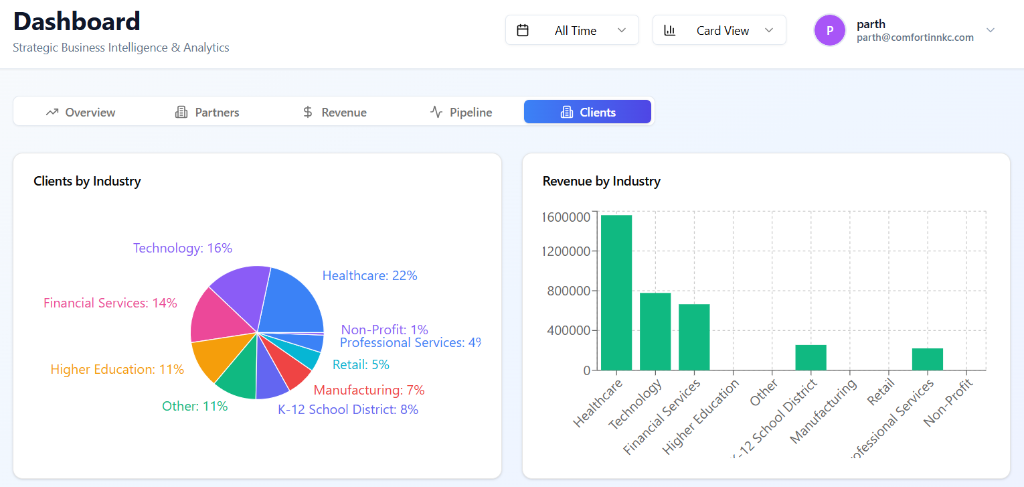
Industry segmentation, revenue analytics, pipeline tracking, and partner performance — demonstrating my understanding of customer success metrics
How This Translates to CyberMaxx CSM Role
Customer Journey Mapping
SmartSheet tracking provides full visibility from onboarding to renewal
Proactive Communication
Status reports, action items, and deployment summaries keep stakeholders informed
Customer Success Metrics
Dashboard analytics demonstrate understanding of data-driven decision making
Scalable Methodology
11 playbooks and 353 assessment tasks ready to adapt for MaxxMDR customers